Find the word you meant.
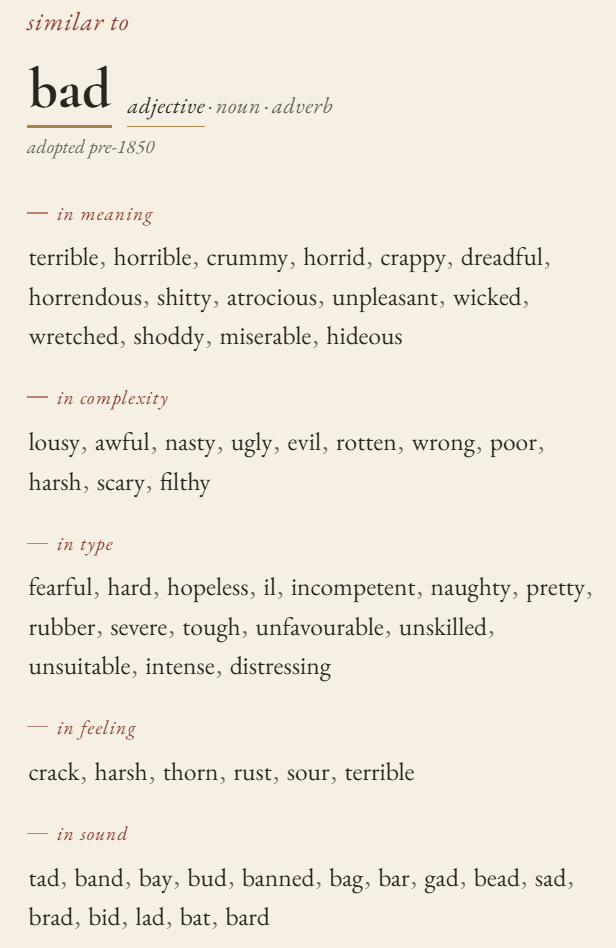
Select any word while you write. Wurding opens beside it and shows its neighborhood — by meaning, complexity, type, feeling, and sound. It never writes a line for you.
Try Pro free for 7 days — just your email, no card.
- Works offline
- Nothing you write leaves your machine
- No AI, no rewrites
Three steps, no new editor.
Wurding is a Google Chrome and Microsoft Edge browser extension. It works wherever you already write on the web — Google Docs, Substack, Notion, Medium, WordPress, any text.
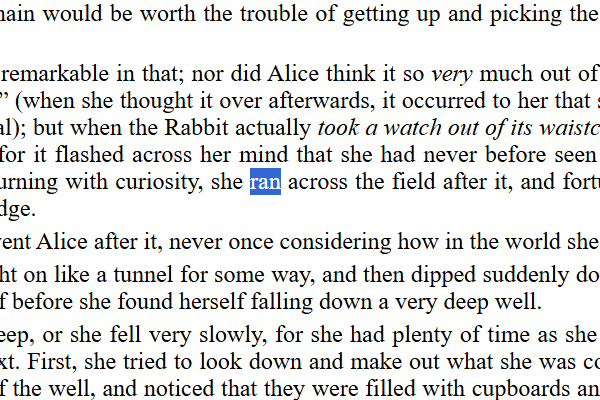
Select a word
Highlight any single word in your draft.
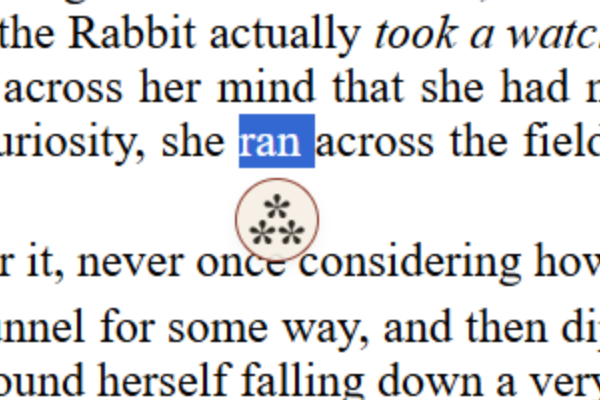
Click the ⁂ that appears
A small mark shows beneath your selection. Click it. (Right-click and the toolbar icon work too.)
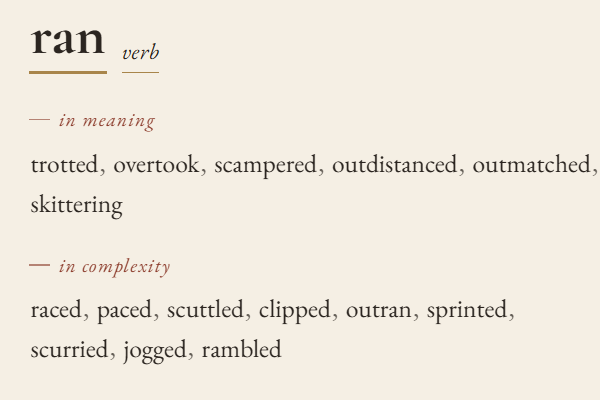
Read the neighborhood
The side panel fills. Click any word to go deeper, copy it, or see its definition. Your cursor never leaves your draft.
A thesaurus knows one direction. This knows five.
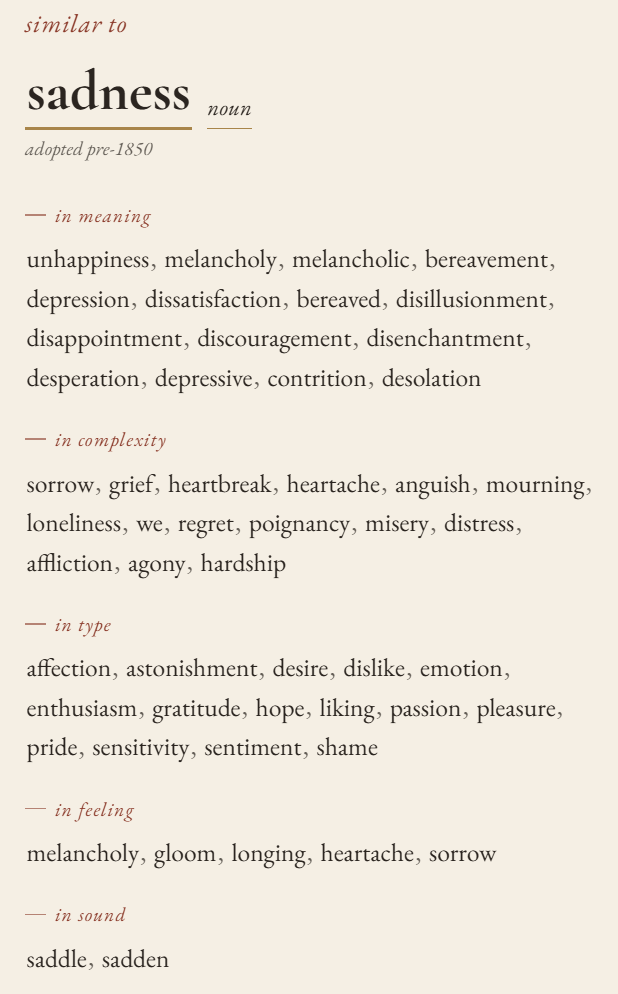
Look up sadness in a thesaurus and you get one flat list of near-synonyms. Wurding shows five lists, each a different kind of nearness — so the word you were reaching for is findable even when you only know what it should sound like, or what it should feel like.
- in meaning
Words that say nearly the same thing. The thesaurus axis, split by part of speech.
- in complexity
Words of about the same plainness or fanciness. Plainer or rarer words that sit at the same level on the page.
- in type
Words naming the same kind of thing. For sadness: affection, astonishment, desire, emotion.
- in feeling
Words carrying a similar emotional shade. For when the meaning is right but the mood is wrong.
- in sound
Words that echo it in rhyme or rhythm. For poets, lyricists, and anyone who reads their sentences aloud.
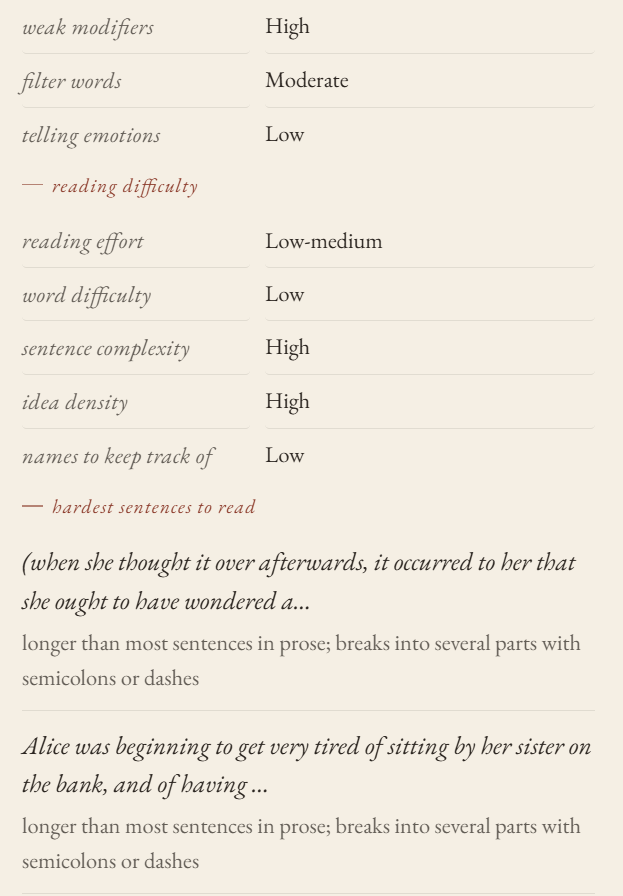
See how a paragraph reads — without anyone rewriting it.
Paste a passage. Wurding tells you how hard it is to read and why: which sentences will slow a reader, which words are doing the work, and which habits are showing — the verys and justs, the filter words, the emotions told rather than shown. Every example is pulled from your own text.
No suggestions. No “improved” version. You see the reading; you decide.
Free shows you the first of each. Pro shows you all of them.
Free is a working reference. Pro is the whole shelf.
About 30,000 words and 6 neighbors per axis on the free plan; about 55,000 words and 15 per axis on Pro, plus the full passage reading. $7 a month (US dollars), or less yearly.
Free
No account, no card, no limit on use.
- about 30,000 wordsThe words writers reach for most often, each with its own neighborhood.
- up to 6 neighbors per axisIn meaning, complexity, type, feeling, and sound — all five at once.
- definitions on clickEvery word opens its definitions, each with a usage example.
- the age of a wordadopted 1942, 17th c. — roughly when it came into use.
Pro
$7/month · everything in Free, plus:
- the full readingEvery dimension of a passage's difficulty rated on its own: sentence complexity, word difficulty, idea density, and how many names a reader has to hold.
- your three hardest sentencesNot just the first — the three most likely to lose a reader, each with the reason.
- all your writing habitsFilter words and telling emotions alongside weak modifiers, with up to eight examples of each pulled from your own passage.
- the full book — about 55,000 wordsNearly twice the free plan, including the literary, archaic, and technical words that don't come up every day.
What Wurding won’t do
It won’t write for you, finish your sentence, or offer a “better” version of your paragraph. It won’t send your words anywhere; the dictionary ships inside the extension and lookups run on your machine with the wifi off. It won’t count your streaks or nag you. It is a reference book that opens to the right page.
Install it once. It waits until you want a word.
Also works in Microsoft Edge.
Firefox, Safari, or Mac? Tell me when →